Ask, and get an answer — without leaving the page.
A contextual assistant docked on every panel in SprintUnity.
Sprint Advisor knows exactly what page you're looking at. Ask it a question, pick from suggested questions, or let it proactively flag something worth knowing — all without switching tools or losing your place.
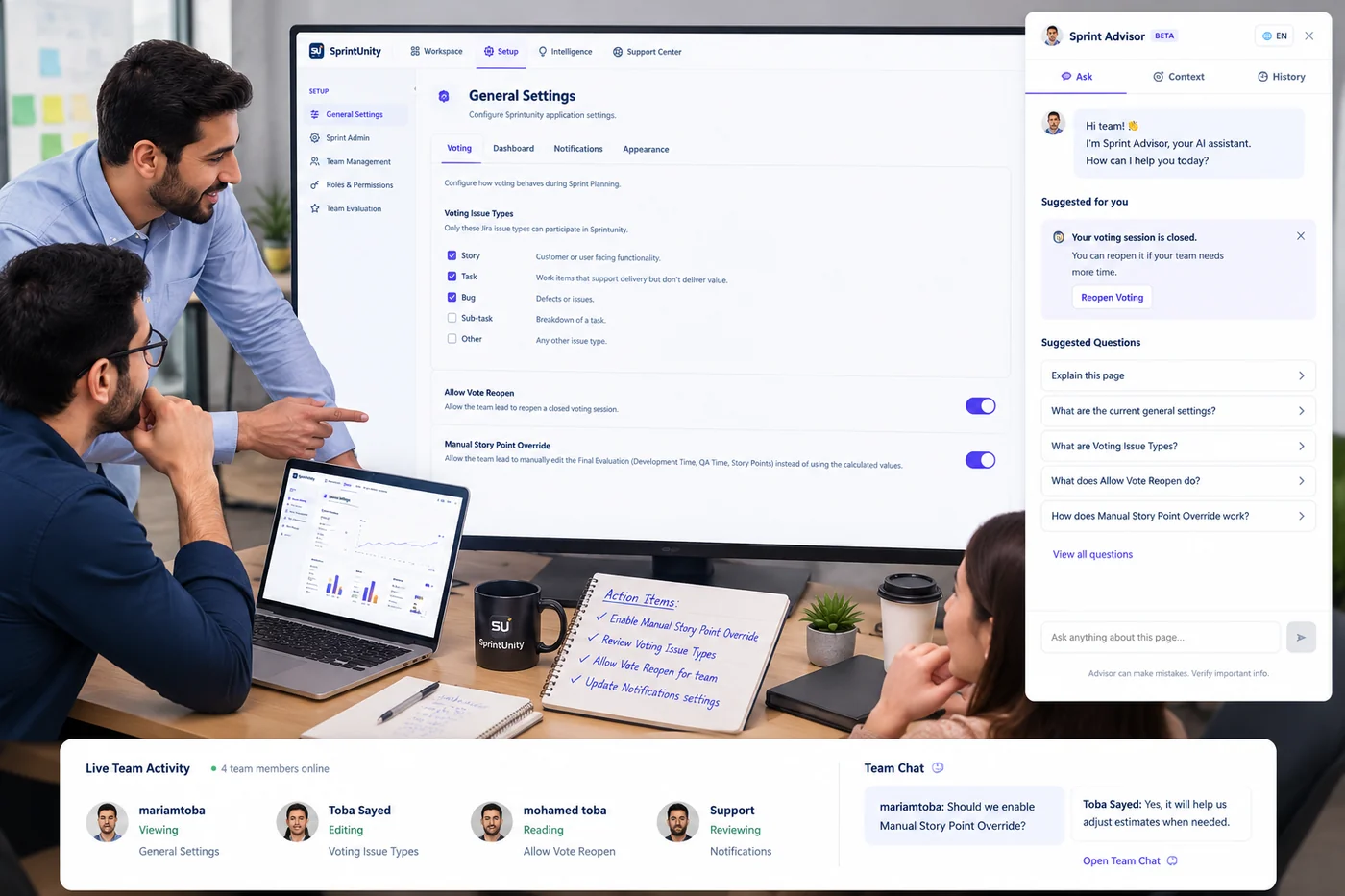
Understands the page you're on
Ask, Context and History tabs keep every answer grounded in exactly what you're viewing right now.
Suggested questions, ready to go
No blank box to stare at — Sprint Advisor suggests the questions people actually ask about this panel.
Proactive nudges
Surfaces things worth knowing on its own — like a closed voting session — before you have to ask.
Full conversation history
Every question and answer is kept in History, so context isn't lost between sessions.
Works on every panel
From Setup to Sprint Dashboard to Reports, the same assistant follows you across the app.
One click. An instant,
honest explanation.
Magic Wand reads the exact panel you're on and explains it right there — what it means, and what's worth checking — without waiting on an AI response.
- Instant, inline explanation — right inside the panel you're already on.
- Deterministic, not guesswork — the same rule-based answer, every time.
- A short, scannable list of what's actually configured.
- Zero setup — no prompt to write, one click surfaces it.
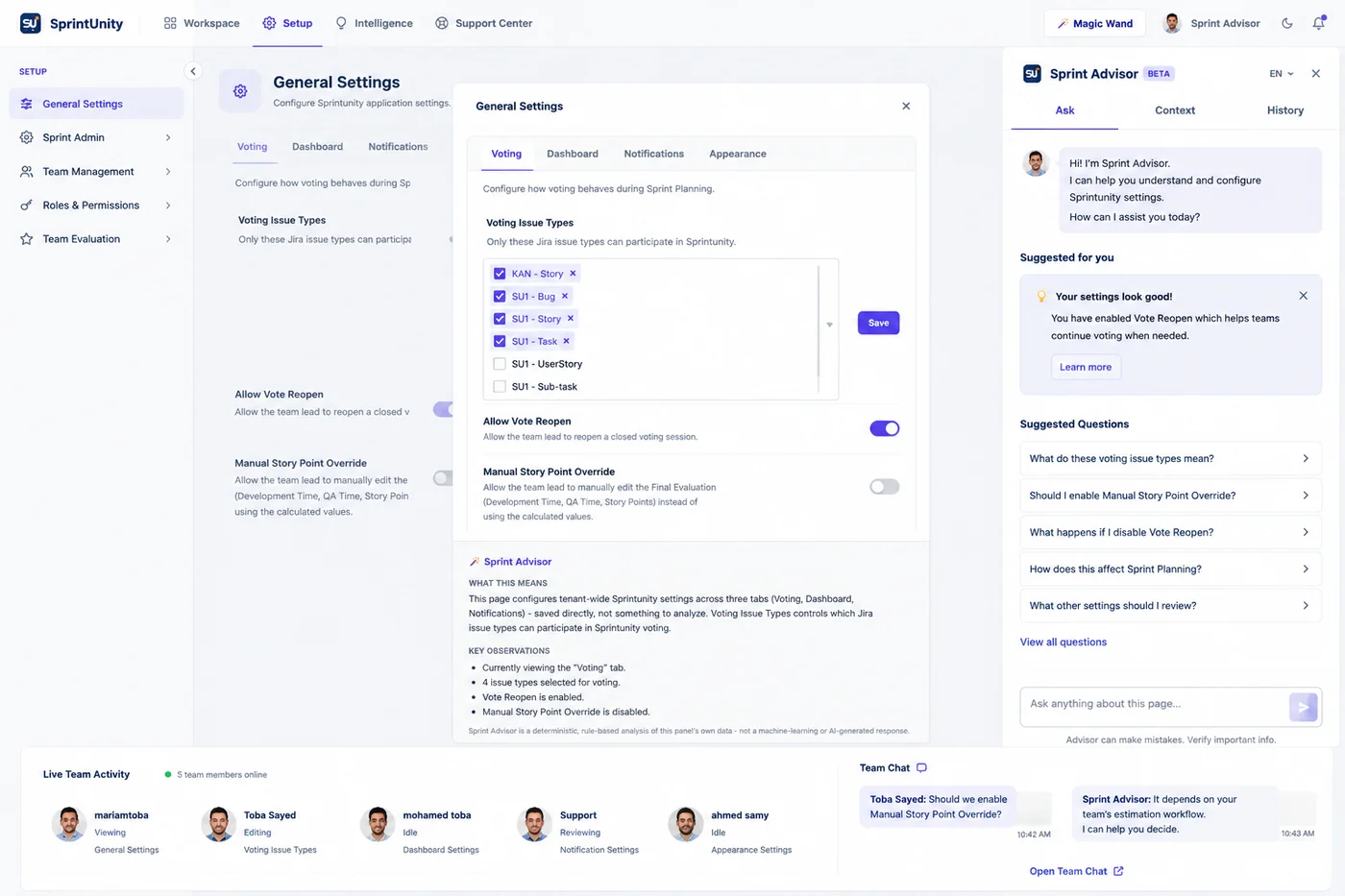
Instant, inline explanation
Click Magic Wand and get "What This Means" and "Key Observations" right inside the current panel.
Deterministic, not guesswork
Built from the panel's own data with fixed rules — not a machine-learning or AI-generated response.
Key observations, not noise
A short, scannable list of what's actually configured — no digging through settings required.
Zero setup
No prompt to write. One click surfaces the explanation for whatever screen you're on.