Know what your team can realistically deliver.
Understand development and QA capacity before committing work to the sprint.
Set maximum development and QA hours, watch utilization update as work is planned and logged, and see exactly how much room is left before the sprint is overloaded.
Committed on assumptions,
not on real availability.
Without visible capacity, sprints get planned on optimism — and the gap only shows up once it's too late to fix.
- Teams commit based on assumptions rather than actual availability.
- Development and QA capacity can be different.
- Remaining work may exceed remaining capacity.
- Overloaded sprints create predictable delivery problems.

How Sprint Capacity Helps
Capacity that's visible before the sprint starts, not discovered halfway through.
Team Availability
Define the available working capacity for the sprint.
Development Capacity
Understand capacity available for development work specifically.
QA Capacity
Account for QA capacity separately from development.
Planned vs Available
Compare committed work against available capacity at a glance.
Capacity Utilization
Understand how much of the available capacity is being consumed.
See It In Action
Real views from SprintUnity.
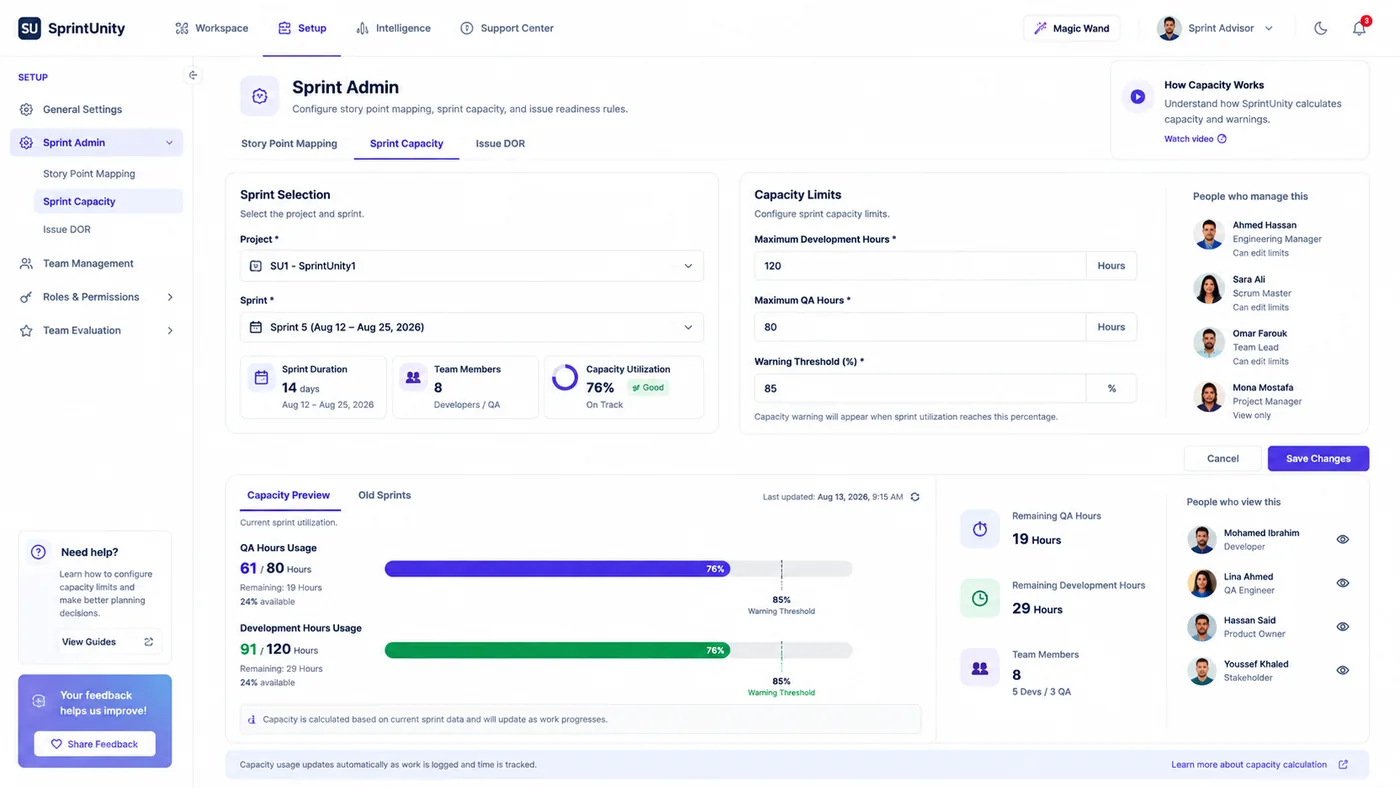
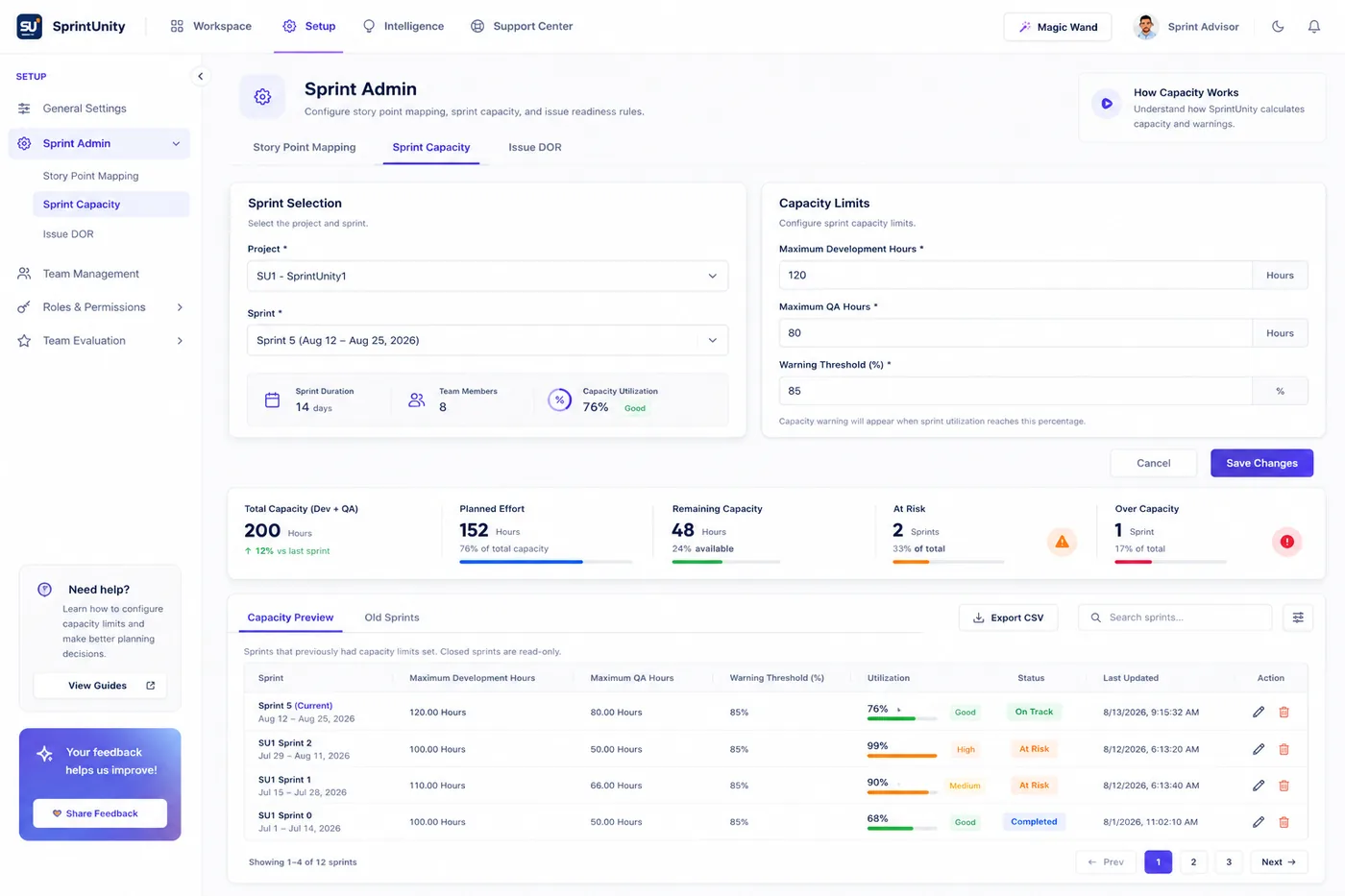
Set maximum development hours, maximum QA hours, and a warning threshold for the sprint.
See planned effort against total capacity, with remaining hours and utilization tracked live.
Spot sprints running At Risk or Over Capacity before they slip, not after.
Capacity everyone can see.
Realistic commitments, from planning through delivery.
Developers
Know what's realistic before it's committed.
QA Engineers
Get QA hours planned for, not squeezed in.
Team Leads
Commit sprints the team can actually deliver.
Scrum Masters
Catch overload before the sprint starts.
Engineering Managers
See capacity pressure across every team.
Delivery Managers
Make realistic delivery commitments.
Ready to build better sprints?
Plan with capacity. Commit with confidence. Detect risks before they become delivery problems.