Real hours, logged against real work.
Track dev and QA hours against every issue, feeding straight back into sprint capacity.
Every entry is tied to the issue it belongs to, with a date and description — so capacity, cycle time and estimation accuracy are built on what actually happened, not a guess.
Hours get remembered
at the end of the sprint.
Without a habit of logging time as work happens, hours get reconstructed from memory days later — if they get logged at all.
- Dev and QA hours get logged after the fact, if at all.
- Capacity numbers are built on estimates, not actuals.
- Estimated vs. logged variance is never really visible.
- Nobody has a clear view of who logged what, and when.

How Time Logging Helps
Time spent, captured at the source, feeding every other module that depends on it.
Log Time on Any Issue
Log time in seconds directly from the issue, with a work date and description.
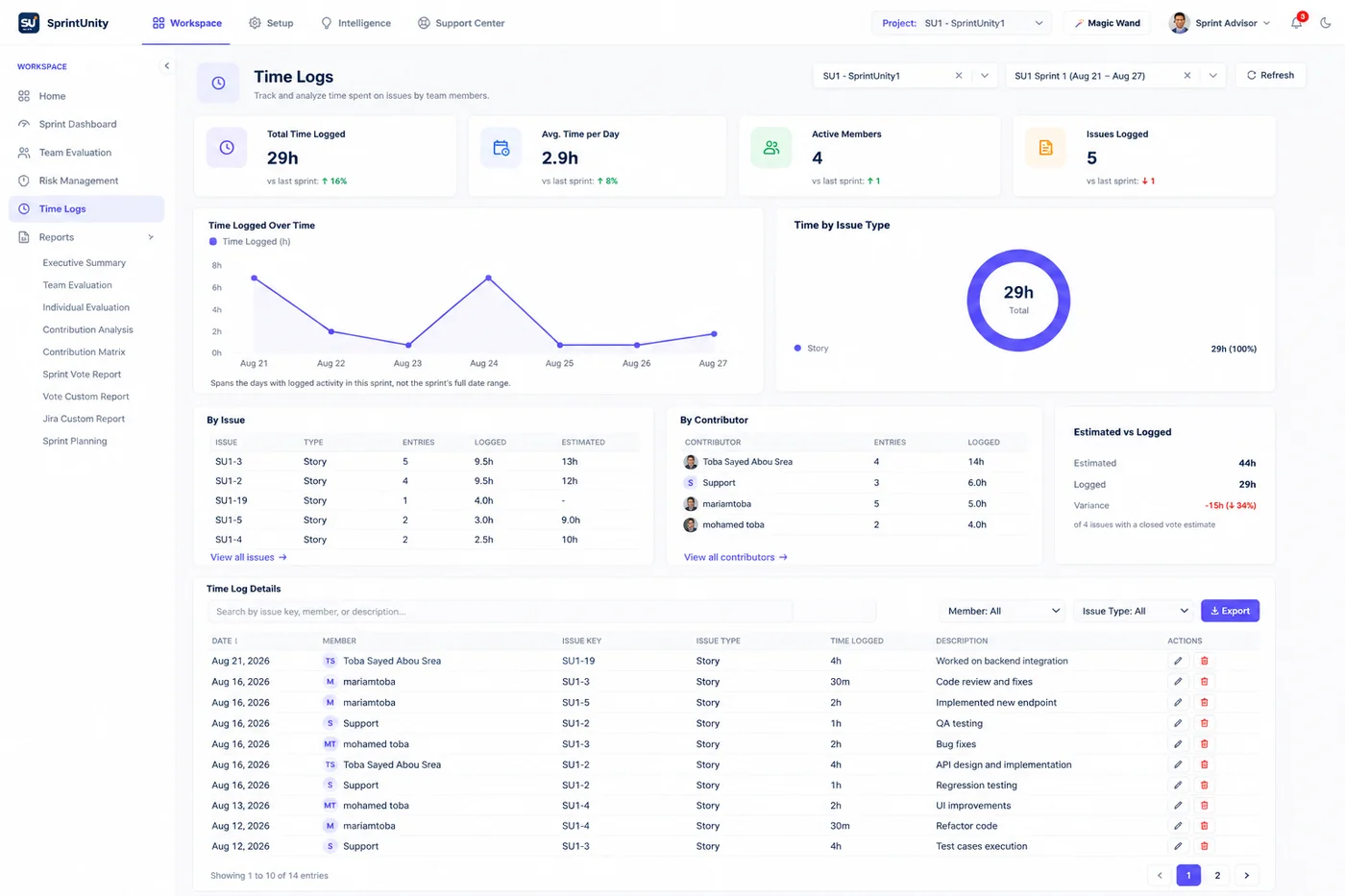
Time by Issue & Contributor
See logged hours broken down by issue and by team member, at a glance.
Estimated vs. Logged
Compare estimated hours to what was actually logged, with the variance called out.
Time Trends
Track time logged over the sprint and by issue type to spot where hours really go.
Feeds Sprint Capacity
Logged hours feed directly back into capacity and future sprint planning.
See It In Action
Real views from SprintUnity.
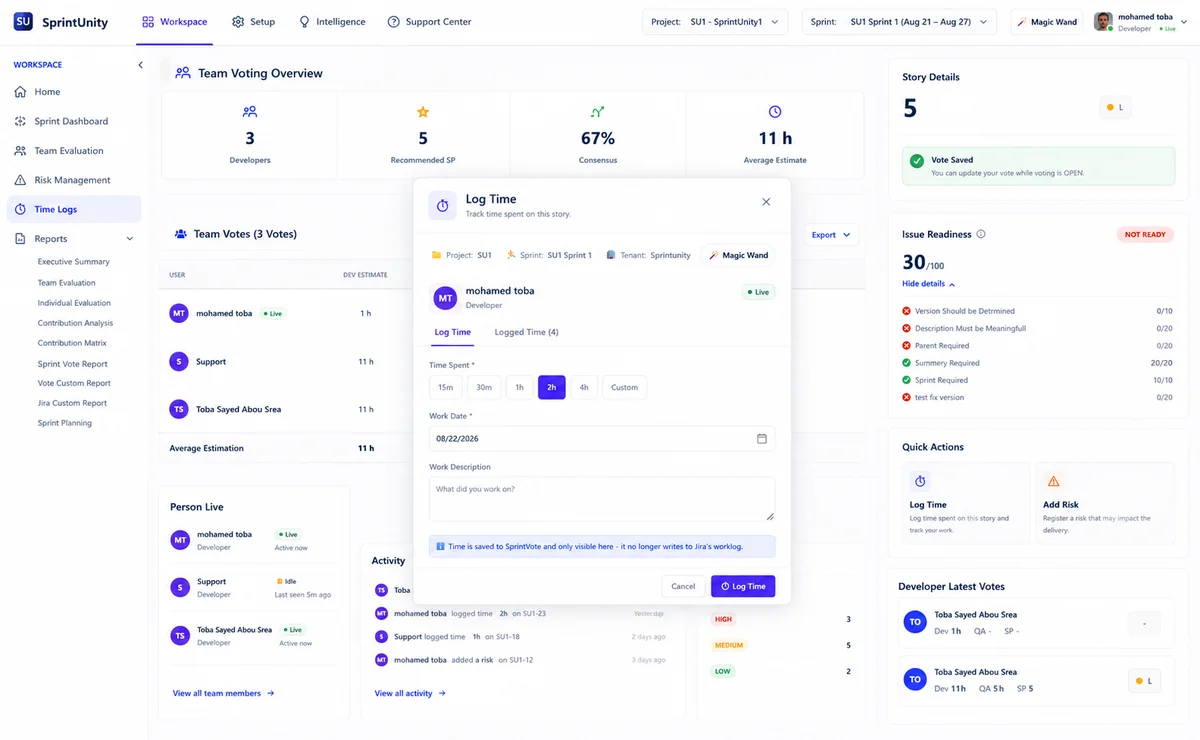
Pick a time spent, set the work date, and add a short description — no separate tool, no context switch.
See logged hours broken down by issue and by team member for the sprint.
Estimated vs. logged variance and total hours flow directly into Sprint Capacity.
Hours everyone can trust.
From logging the hour to planning the next sprint.
Developers
Log time in seconds, right from the issue.
QA Engineers
Track testing effort against every story.
Team Leads
See who logged what, and where time really goes.
Scrum Masters
Ground retros in actual hours, not memory.
Delivery Managers
Plan future capacity on real historical hours.
Ready to build better sprints?
Plan with capacity. Commit with confidence. Detect risks before they become delivery problems.